• 2 min read
Logitech adds Microsoft Office shortcuts to MX Creative Console
Logitech is giving its MX accessories a more office-friendly twist. The company has added new Productivity Plugins to the MX Creative Console and the rest of the MX line, bringing Microsoft Office, Slack, and Notion supp
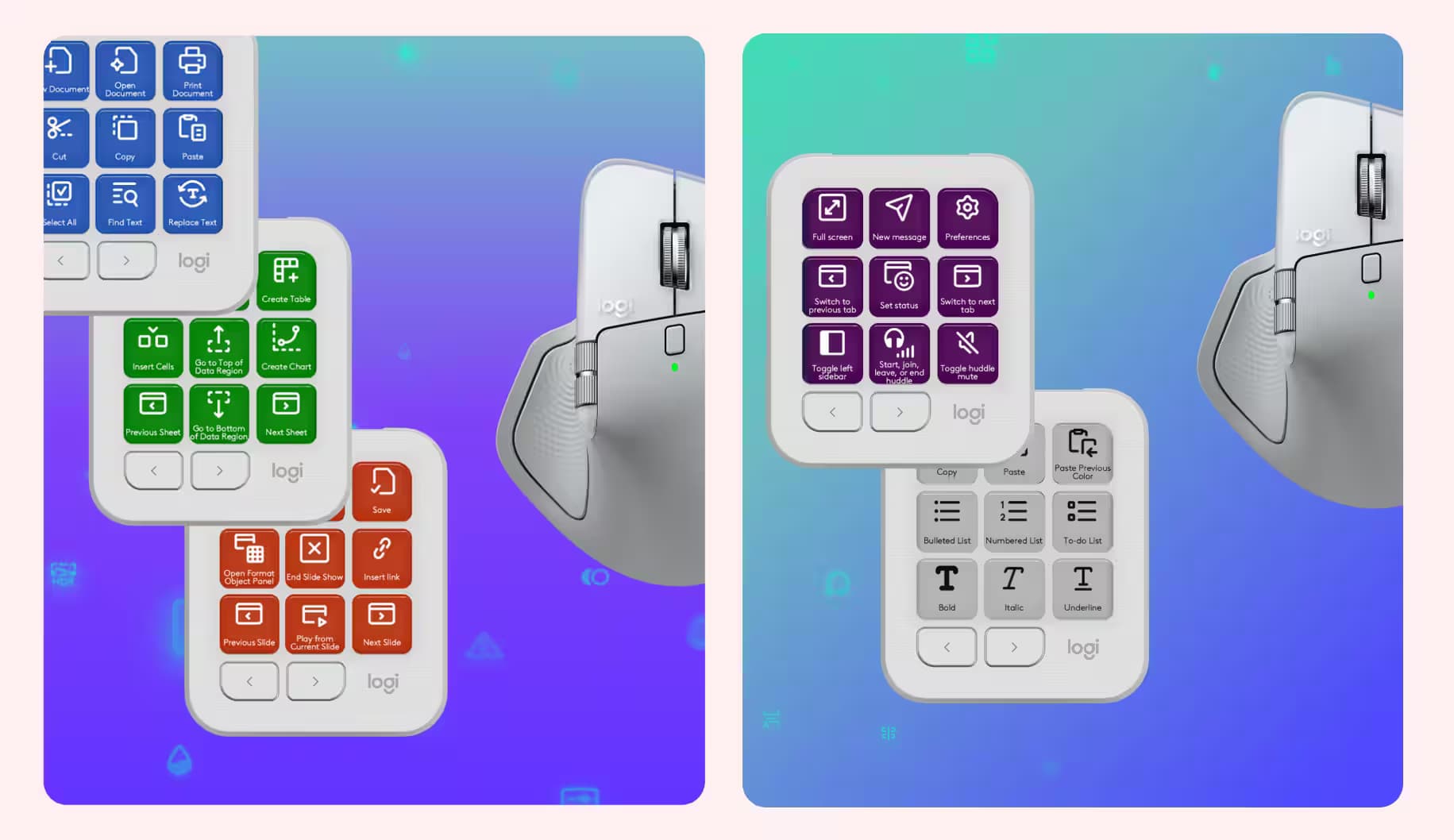
Image: The Verge
Logitech is giving its MX accessories a more office-friendly twist. The company has added new Productivity Plugins to the MX Creative Console and the rest of the MX line, bringing Microsoft Office, Slack, and Notion support alongside the creative-app tools it has been layering on since the console arrived in September 2024.
That means the MX Creative Console can now be mapped to everyday chores like replacing text in Word, inserting cells in Excel, switching Slack workspaces, or formatting to-do lists in Notion. For anyone who lives in keyboard shortcuts, this is less glamorous than a video-editing dial and more useful than most marketing slides.
MX Creative Console gets productivity plugins
The new plugins are available for free through the Logi Marketplace, and they work through Logitech’s Actions Ring menus in the Logi Options Plus app. Logitech has been using the same software layer to stitch together its accessory ecosystem, which is smart: once users build habits around one mouse or keypad, they are less likely to jump ship to a rival setup.

Recommended reading
GoPro Mission 1 Pro nails 8K video but stings on price
The company has been expanding the console’s reach since launch, first with creativity-focused apps such as Final Cut Pro, Adobe Lightroom, and Figma. This new batch broadens the pitch from “content creation tool” to “control center for your desk,” which is a much tougher sell to copy if you already own a Logitech keyboard and mouse.
Easy Switch now moves three devices at once
Logitech also updated Easy Switch, the feature that lets accessories hop between multiple computers. With the new setup, pressing the switch button on an MX Keys S or MX Keys Mini keyboard can now trigger an MX mouse and the MX Creative Dialpad to follow along automatically.
- One press can move up to three devices.
- A firmware update is required for the accessories you want to use.
- Logitech says support will expand to additional MX keyboards later.
That last part is classic Logitech: the hardware is already on desks, and the company is trying to make its software the reason to stay. If the rollout keeps widening, the MX line could become one of the neatest cross-device control systems in the PC world. If it stalls, it will just be another clever idea buried in an app people forgot to open.

Computing Editor
Tomas lives in the terminal. He covers chips, laptops, and operating systems with a focus on performance and efficiency. He reads kernel changelogs the way other people read fiction, and he's always on the hunt for the perfect mechanical keyboard switch. If it processes data, Tomas has an opinion on it.
via The Verge