• 2 min read
A $12 cable tray cleaned up this desk fast
PCWorld’s Alaina Yee says a simple under-desk cable tray made troubleshooting easier and cut the cord chaos behind her desk.
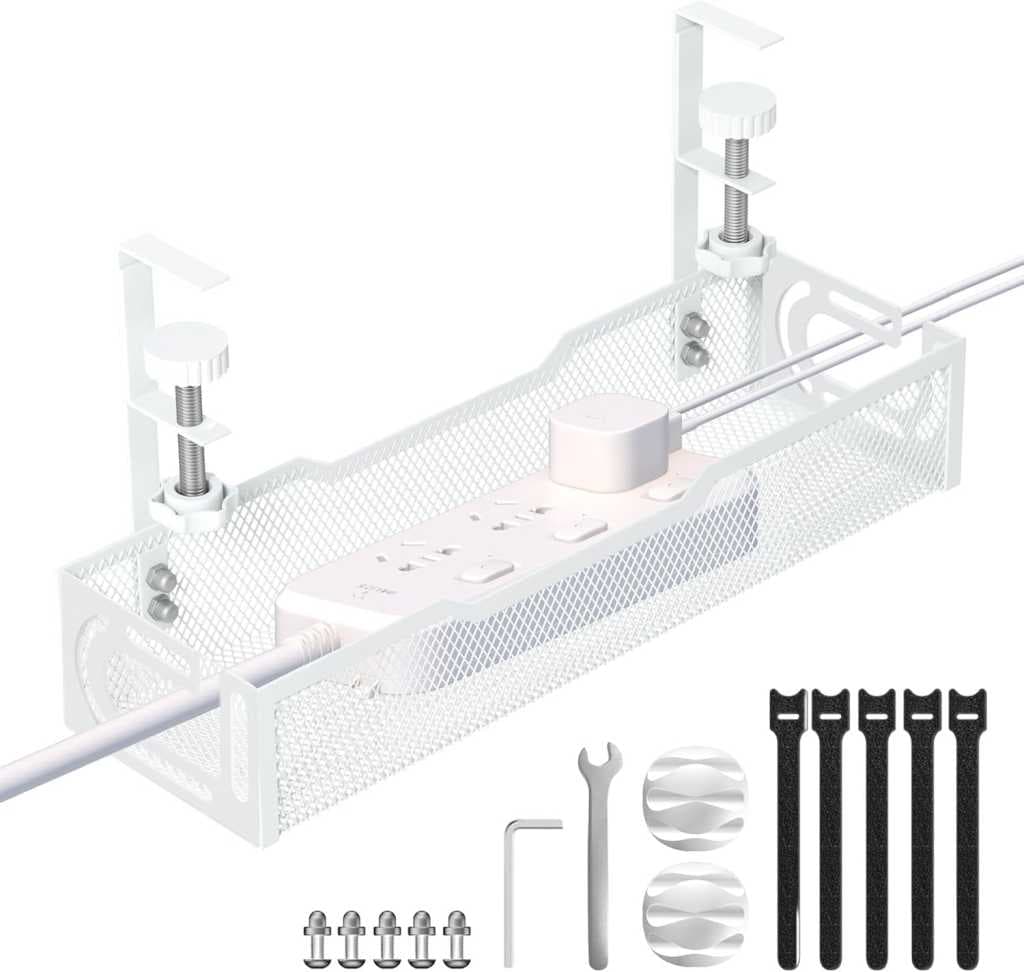
Image: PCWorld
PCWorld’s Alaina Yee says a $12 under-desk cable tray solved one of the most annoying parts of working on PCs: the tangle of power cords, printer cables, lamp plugs, and other wiring that builds up behind a desk.
Yee writes that cable management used to be low on her priority list, but that changed after having to troubleshoot more than one PC buried in what she describes as a “rat’s nest” of cables. Her preferred fix is a tray mounted under the desk, especially the clamp-on type, though she notes that some versions can be drilled into the underside of a desk instead.
She points to a few practical benefits:

Recommended reading
Samsung 990 SSD hits 7,250 MB/s with a 2TB option
- Clearer visibility into what’s plugged into the power strip
- Faster cable tracing back to each device
- Less setup time than routing cables along a desk or wall
- Cleaner-looking desks, with fewer cords hanging down the back
Yee says she uses an open-wire tray at her own desk because it gives her more flexibility for routing cables. For friends, she often recommends a mesh version like the one shown above, saying it tends to look better.
Her setup uses two trays: one for the power strip, and another for the power bricks connected to the mini-PCs and laptop she uses. She adds that while cable protectors or routing cables along desk legs can also work, an under-desk tray takes less planning. The time saved can then go toward labeling each cable, which she says makes future cleanup and troubleshooting much easier.

Computing Editor
Tomas lives in the terminal. He covers chips, laptops, and operating systems with a focus on performance and efficiency. He reads kernel changelogs the way other people read fiction, and he's always on the hunt for the perfect mechanical keyboard switch. If it processes data, Tomas has an opinion on it.
via PCWorld