• 3 min read
Samsung’s Galaxy XR shines, but long wear still hurts
After a full work week in Samsung’s Galaxy XR headset, TechRadar found strong multitasking and displays undermined by typing friction and strap fatigue.
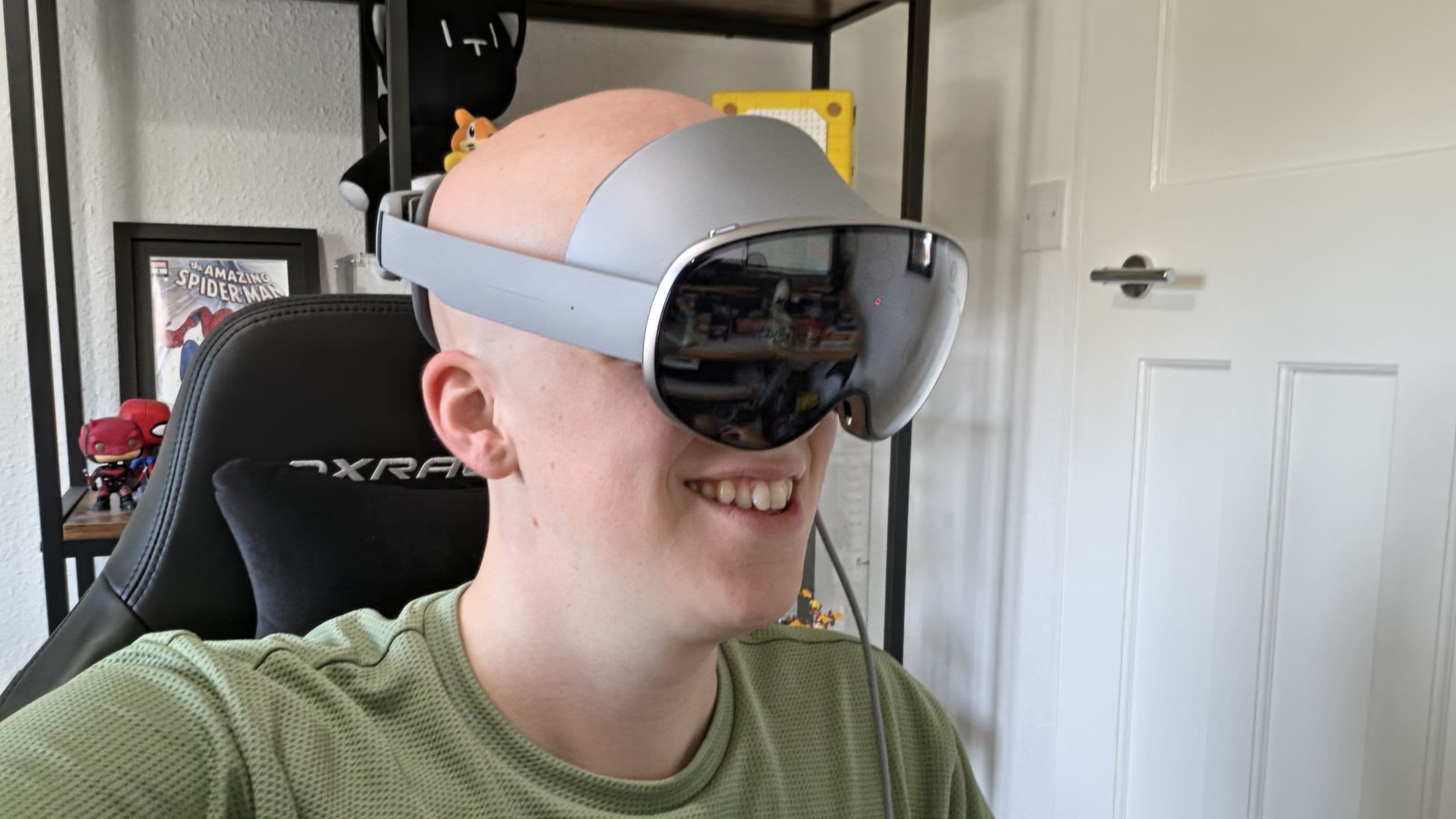
Image: TechRadar
Samsung’s Galaxy XR headset is finally available in the UK, after launching in the US and Korea in October last year, and TechRadar put it through an unusually demanding test: a full work week spent almost entirely in the headset. The verdict is promising but not quite glowing. According to Senior Staff Writer Hamish, the headset comes close to being a serious all-day computing device, but its head strap and a few productivity snags still get in the way.
Hamish says he wore the headset for each working day, taking it off only for lunch and bathroom breaks, then used it for another couple of hours in the evening for movies or games. He also spent at least one day relying only on what ships in the box. That included access to Samsung’s Explorer Pack, a bundle worth £665 that is included free with purchases of the Galaxy XR until December 16. It includes a year of premium Gemini access, 5TB of Google Cloud storage, a year of YouTube Premium, Calm, and other services.
For work, the headset handled multitasking well. Hamish describes using large floating windows for Slack, YouTube, Google Docs, and Chrome, navigating them with eye-tracking and pinch gestures. He also joined meetings in VR, though avatar quality was a weak point: Samsung’s version looked too cartoonish, while Google’s looked distressed and omitted his glasses.
Typing and PC pairing are the biggest productivity limits
The bigger issue was speed. The virtual keyboard worked, but not fast enough for deadline-heavy writing. Hamish says the lag between key presses made typing noticeably slower than on even a basic physical keyboard. A Bluetooth keyboard improved matters considerably.
Pairing the headset with a PC also helped. Hamish used Virtual Desktop with a non-Samsung computer and said the connection was seamless even a few meters from the router, with very little delay. That setup enabled large, resizable virtual displays, but it came with tradeoffs: Virtual Desktop limits the headset’s full multitasking abilities, while alternatives such as Google’s PC Connect were not available in the UK during testing. PC Connect also supports only a single monitor stream.
Recommended reading
Russia Tests Maskless 150 nm Chip Lithography Tool
Heat, fabric padding, and the missing top strap
Design is where the review turns sharply. Hamish argues the headset needs both a silicone facial interface and a top strap. During recent UK heat waves, the fabric face padding absorbed sweat, which he says made long sessions less comfortable and less hygienic. A silicone option, he argues, would be easier to clean and share.
The missing top strap was an even bigger problem over time. Samsung moved the battery into an external puck, leaving 545g on the user’s head, which Hamish credits as a smart comfort choice. But without a strap running over the top of the head, the weight still became tiring. He says day one was manageable, discomfort arrived by the middle of day two, and by day four he was ready to stop.
That leaves the Galaxy XR in an interesting spot. TechRadar says Samsung gets a lot right: a strong OLED display, useful eye-tracking, solid multitasking, and access to the Play Store. But after a full week inside it, the headset still doesn’t quite make the jump from impressive gadget to something most people would want to wear all day. Hamish’s next test may be a better fit: using it on a flight, where the Galaxy XR could prove more compelling than it is at a desk.

Computing Editor
Tomas lives in the terminal. He covers chips, laptops, and operating systems with a focus on performance and efficiency. He reads kernel changelogs the way other people read fiction, and he's always on the hunt for the perfect mechanical keyboard switch. If it processes data, Tomas has an opinion on it.
via TechRadar