• 2 min read
Google restores separate Wi-Fi and mobile data toggles in Android Canary
Nearly five years after merging Wi-Fi and mobile data controls into a single “Internet” tile on Android, Google is reversing course. The latest Android Canary build 2603 replaces the combined Internet toggle with separat
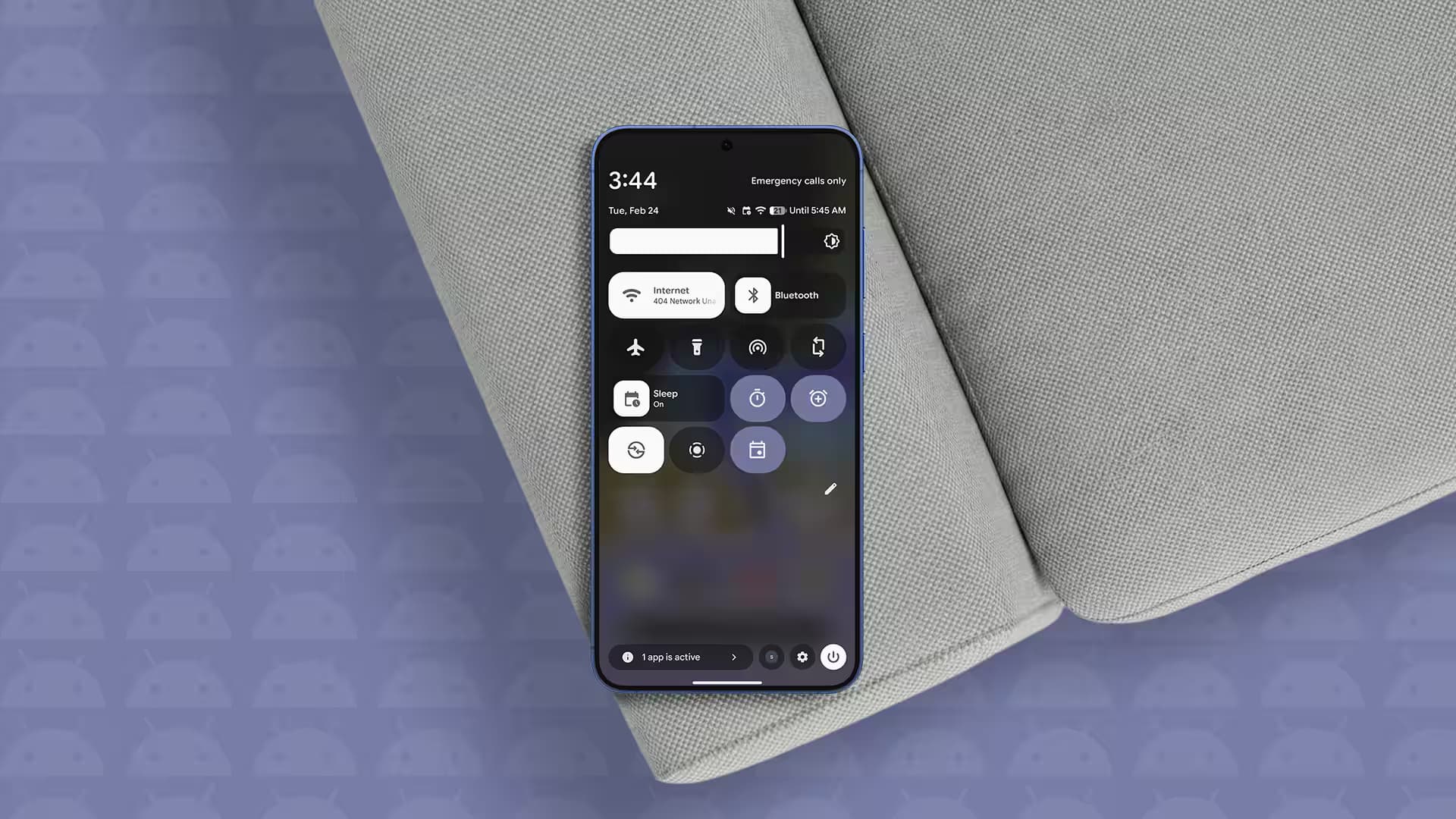
Nearly five years after merging Wi-Fi and mobile data controls into a single “Internet” tile on Android, Google is reversing course. The latest Android Canary build 2603 replaces the combined Internet toggle with separate quick setting tiles, allowing users to toggle Wi-Fi and mobile data independently once again. This subtle user interface rollback addresses a long-standing complaint about extra steps required to switch connectivity modes with the unified control.
The combined Internet tile was introduced with Android 12, streamlining the network toggles into a single button. While intended to simplify connectivity, this configuration forced users to open a secondary menu to switch between Wi-Fi and cellular data, making one-tap toggling impossible. The return to separate toggles in Android Canary 2603 instantly restores direct access with a single tap on either Wi-Fi or mobile data icons.
Since this update is part of the experimental Android Canary channel, the change isn’t guaranteed to reach the public Android 17 release. That said, upcoming Android 17 features include splitting the notification shade and quick settings on foldable devices, where having separate Wi-Fi and mobile data tiles will improve quick access and management.
Recommended reading
Oppo Reno 16 adds IP69K and a bigger battery
Power users who have long requested this level of granular control will welcome the change. The separate toggles reduce friction and streamline connectivity switching-a small but meaningful quality-of-life tweak that was widely missed since the Internet tile’s debut. The move also suggests Google is listening to feedback and willing to revert design decisions that hamper usability.
Beyond connectivity toggles, Android Canary build 2603 delivers a slew of visual and functional tweaks, including enhanced blur effects in the system UI and an updated long-press app menu. New options like native app lock and app bubbling are now accessible in a “Shortcuts” submenu to accommodate expansion, continuing the gradual refinement of the Android interface ahead of widespread releases.
Whether this rollback of the Internet tile will be embraced in Android 17 betas or the stable channel remains unclear. Still, it’s a rare example of Google retreating on a UI choice that didn’t resonate with users-a small victory for those craving quicker, more straightforward network control on their phones.

Gadgets Editor
Eli is obsessed with the tangible future. He reviews phones, wearables, and everything with a battery. Known for his rigorous testing protocols and unabashed teardowns, Eli has broken more review units than he cares to admit, all in the name of discovering the truth about durability and repairability.